

How to use a WordPress calendar plugin for sports
TL;DR
- If you’re running a sports facility with multiple courts, teams, and coaches, you’ve probably felt the pain of sports facility calendar management using Google Calendar alone. Double bookings, missed updates, and confusing schedules are common Google Calendar sync issues. And, on top of that, your visitors still can’t see a clean, public schedule online.
- That’s where Simple Calendar for WordPress makes life easier. It syncs your Google Calendar events directly to your website in real time, so you can create a public sports schedule website that’s always accurate and easy to read. Your staff stays organized, your coaches know exactly where to be, and your players and visitors can check match times or training sessions anytime.
- Best of all, this approach is far more economical and simpler than investing in expensive, dedicated sports scheduling software. You don’t need complex systems or high monthly fees.
Simple Calendar for Sports Facilities: Solve Scheduling Problems Without Expensive Software
If you’re an athletic director, facility manager, or school sports coordinator, you already know that Google Calendar isn’t designed for complex operations. It works fine for personal reminders, but it disappoints when you’re handling sports scheduling across multiple teams, coaches, and venues.
A true multi-court booking calendar needs to prevent conflicts, stay updated in real time, and be easy for staff and visitors to view. Thus, double bookings and miscommunication become inevitable without the right tool in place.
Here are the four most common problems sports facilities face, and how Simple Calendar addresses each.
Managing multiple calendars
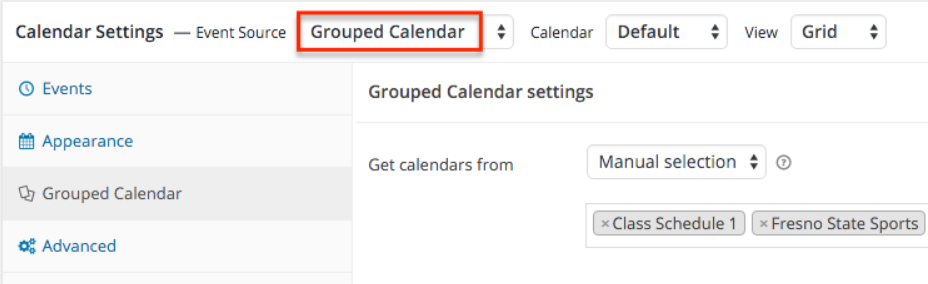
Your sports staff mostly struggles while managing multiple calendars. We understand that it’s common in sports to create separate calendars for each team, court, or coach. However, the real problem occurs when you can’t collectively display all these calendars in a single interface.
And that’s why using Simple Calendar is a smart decision. It’s because Grouped Calendar is our plugin’s core feature. You can freely use this feature to sync and display multiple Google Calendars on your site.
So, no matter how many separate Google Calendars you create, the plugin handles displaying them collectively without any synchronization or display issues.
Preventing double bookings
If you also struggle to prevent double booking sports, it calls for a real-time sports schedule website that shows what’s happening and what’s free, without manual updates or constant confirmation emails.
So, this clarity of available events is easily achieved with the Simple Calendar core plugin or by combining it with add-ons like Google Calendar Pro and FullCalendar Extended.
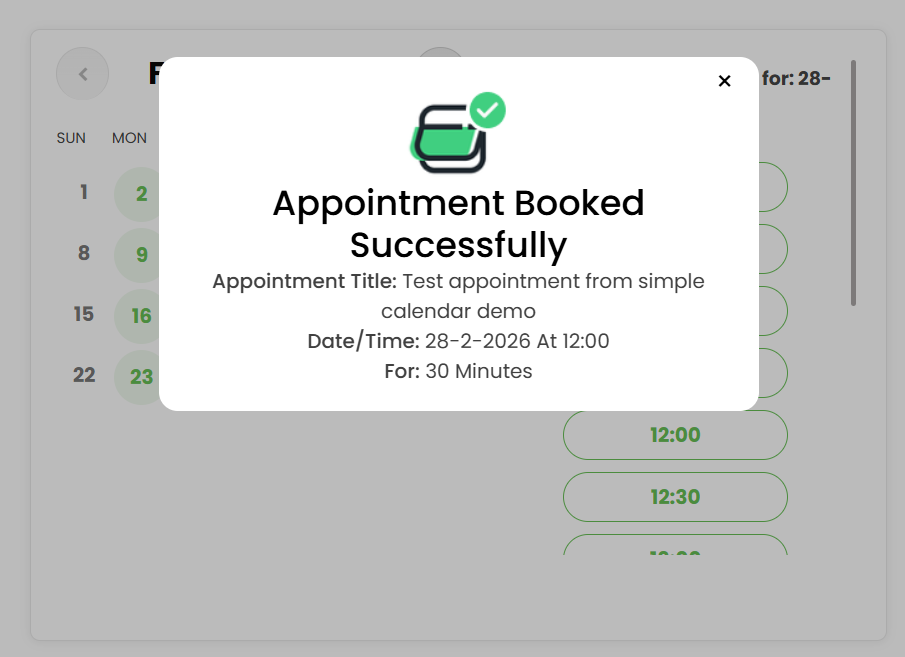
And, if you want to go a step further and show booking availability while preventing double bookings, our Book an Appointment add-on has your back. With this add-on, booked slots automatically hide from your site’s frontend to prevent session overlaps, misreads, and frustrated customers.
Also, read this blog to know more about our booking appointment add-on workflow.
Real-time syncing issues
Google Calendar’s sync to third-party tools lags. It forces managers to verify entries while wasting time and causing errors manually. And, this generally happens when you’ve chosen the path of manually embedding Google Calendar into your site. For that, you may have to make your Google Calendar public first and then carry out further steps.
Well, you also have to make Google Calendar public first while using our free Simple Calendar plugin, but it comes with certain advantages, as you’re using a plugin. And that benefit is real-time synchronization without any technical issues or manual back-and-forth.
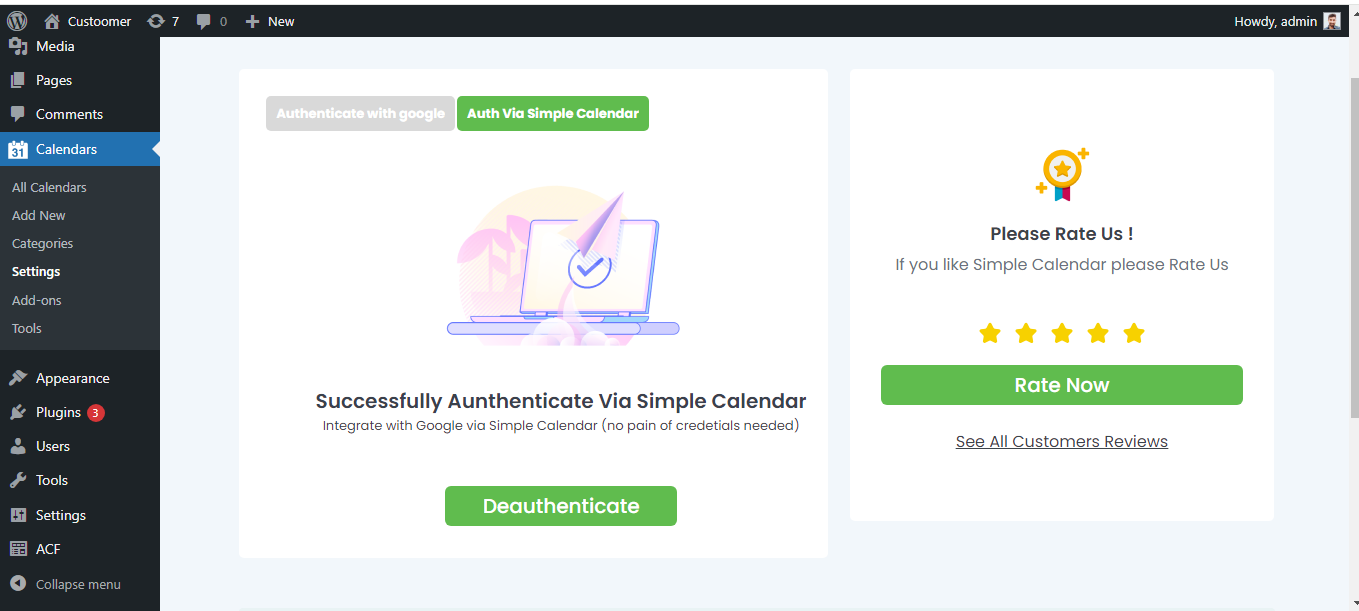
But, it’s not always that you have to make Google Calendar public first while using our plugin. To remove this technical friction and provide you with a quick setup, we’ve developed an add-on, Google Calendar Pro, which features one-click integration, custom color-coded events, multiple views, and more for enhanced functionality.
Simple Calendar syncs automatically at regular intervals via the Google Calendar API or our 1-click OAuth integration, ensuring your sports schedule stays current without any manual updates.
Displaying public-facing schedules
Some schedules are kept private for internal use, while others need to be public. Without a way to bring both together in one place, information stays scattered, and staff time gets wasted answering repetitive availability queries.
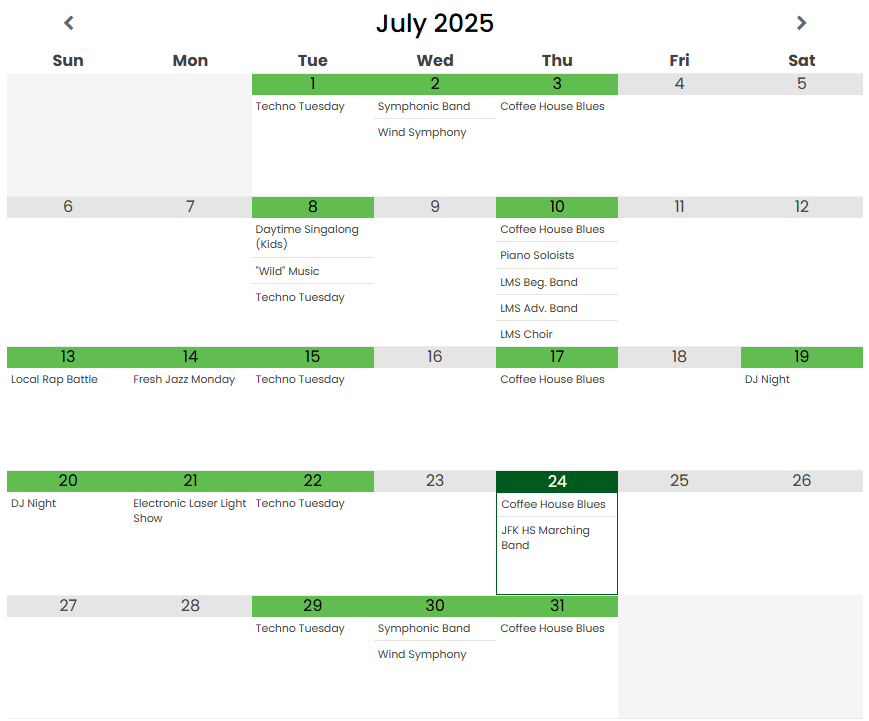
Simple Calendar lets you sync both public and private Google Calendars directly into your WordPress site and display them in a clean, unified view. Also, read this blog to learn about the difference in displaying public Google Calendar and private Google Calendar on your site.
Thus, the plugin helps show upcoming games, practices, and availability without requiring visitors to log in. The schedules automatically update when changes are made in Google Calendar. It also reduces phone calls and emails by giving everyone instant access to the latest schedule.
Why Simple Calendar is the practical choice for sports facilities
Affordable and focused
Simple Calendar is an affordable sports facility scheduling solution, and not a bulky, expensive management platform with features you don’t need.
Works with tools you already use
There’s no learning curve. Your staff keeps using Google Calendar, while the Simple Calendar WordPress plugin displays that schedule beautifully on your website.
Fast and easy setup
Install the plugin → connect your Google Calendar → use our easy steps to get started to sync the live schedule in minutes. And, if you’re using our premium add-ons, here’s the guide to go with.
Adaptable for sports environments
Ideal for high schools, community sports centers, multi-sport complexes, and club facilities that need a clear, shared schedule without complexity.
FAQs
Does Simple Calendar work for sports facilities?
Yes, it’s widely used by schools, clubs, and sports centers to display real-time game and practice schedules on WordPress websites.
Is Simple Calendar free?
Simple Calendar offers a free version with core Google Calendar sync features, with premium plans available for advanced display options.
Can coaches update the schedule without accessing WordPress?
Yes, coaches update Google Calendar directly, and Simple Calendar reflects those changes on the website automatically.
Conclusions
You don’t need a costly sports management system just to show a clear, reliable schedule online. If your team already uses Google Calendar, Simple Calendar simply turns that into a live, public schedule that your staff, players, and parents can actually rely on.
Install Simple Calendar on your WordPress site today and give your sports facility a schedule everyone can see.
Summarize with:
Related posts
Simple plugin. Pro features. Easy from day one.
We read the top 10 Google results for ‘best WordPress calendar plugin’ in September 2026. 8 of 10 recommended an event-management plugin to readers who only needed a display. But you already know it’s not enough for the specific choice you need to make. And that advice generally falls apart when you realize that each […]
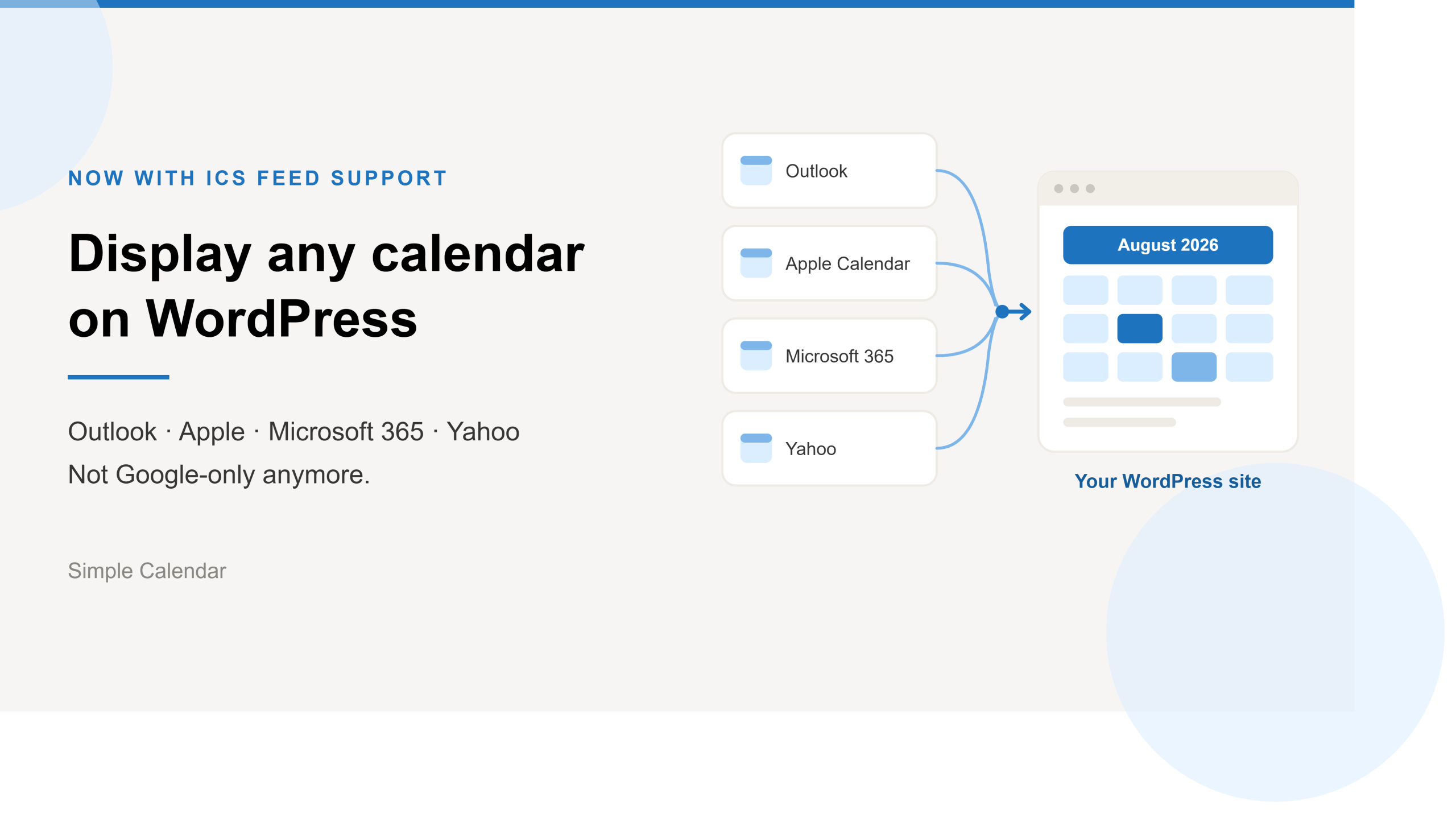
Simple Calendar now imports ICS feeds and connects live ICS feed URL. Learn step-by-step workflows for displaying Outlook, Microsoft 365, Apple, and Yahoo calendars.
After 13 years of building a WordPress calendar plugin, we know a Google Calendar embed looks like the easy answer. But it rarely stays that way. It’s only after you embed the Google Calendar manually and open the page on your mobile that you realize the calendar decided to live by its own rules. A […]