
Your online calendar answers before you do
Keep your lesson schedule up to date on your WordPress site with Simple Calendar. Helps students and parents check classes themselves instead of asking you every time. Syncs events from Google Calendar, Apple Calendar, or any calendar with an ICS feed, and let students book open slots.
 50k+ active installations
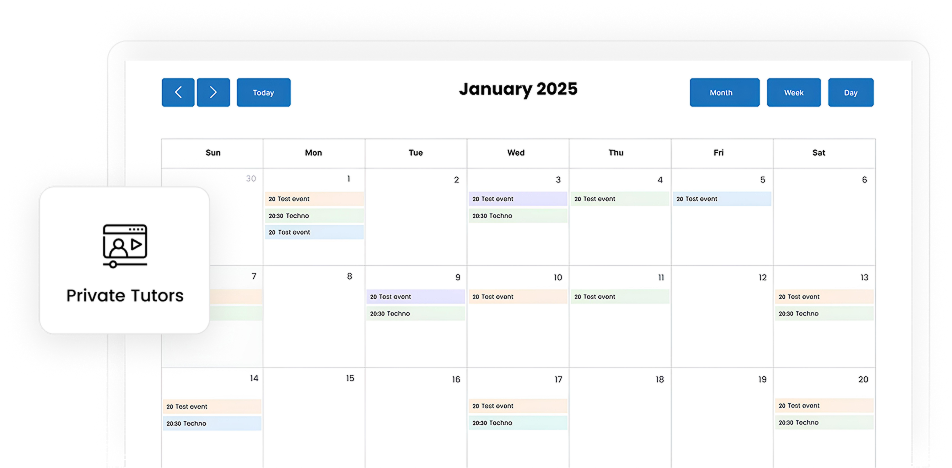
Teach more. Coordinate less.
Most tutors spend more time chasing confirmations than they do teaching. Simple Calendar syncs your calendar to your WordPress site so students and parents can check your live availability, see upcoming sessions, and know exactly when lessons are happening.

Uninterrupted teaching time
When's my next session? Are you free Friday? Did we move to Tuesday? Your schedule sits on your site and answers all of it, so students and parents stop texting you mid-lesson to ask.

Build a professional image
Parents compare tutors before they contact one. A live schedule with clear session times signals that you run something organized. A 'message me for availability' line signals the opposite.

Works with existing calendar
Simple Calendar works with the calendar you already use, whether it’s Google Calendar, Apple Calendar, Outlook, or any calendar that publishes an ICS feed.

Always in sync
Parents can save a lesson to their calendar or subscribe to your schedule. Any changes you make automatically carry through to their calendar.

Show booking slots
The Book an Appointment addon allows your open times appear on your site, and students pick one. The back-and-forth of proposing three times and waiting disappears.

No marketplace cut
Tutoring marketplaces take a cut of every session you teach. Simple Calendar is a WordPress plugin on your own site without any commission headache.
Why private tutors choose Simple Calendar
You don’t need to be a developer or learn a new platform. If you already use a calendar to plan and schedule your classes, Simple Calendar quickly integrates it with your WordPress site and turns your existing schedule into a live, bookable page. That’s the whole setup.
Get started with Simple Calendar in under 2 minutes
You don't need everything at once. Start with the free plugin, get your schedule live, and add the rest only when you need it.
Install the free plugin & go live
Download and install the free Simple Calendar plugin. Connect it to your public Google Calendar or upload an ICS file, and paste the shortcode onto any page. This step is everything you need to get started. The rest is optional.
Connect private Google Calendars securely
Google Calendar Pro replaces the multi-step credential setup with one-click authentication, so you can display a private Google Calendar securely. It also connects to a live ICS feed URL that keeps updating on the site instead of manual upload.
Give visitors better ways to browse
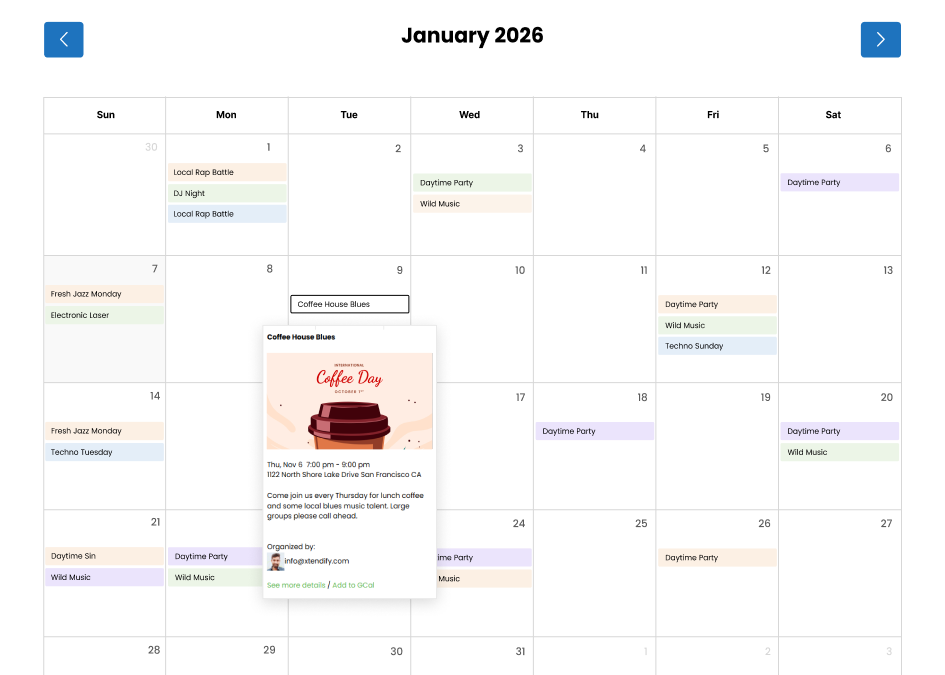
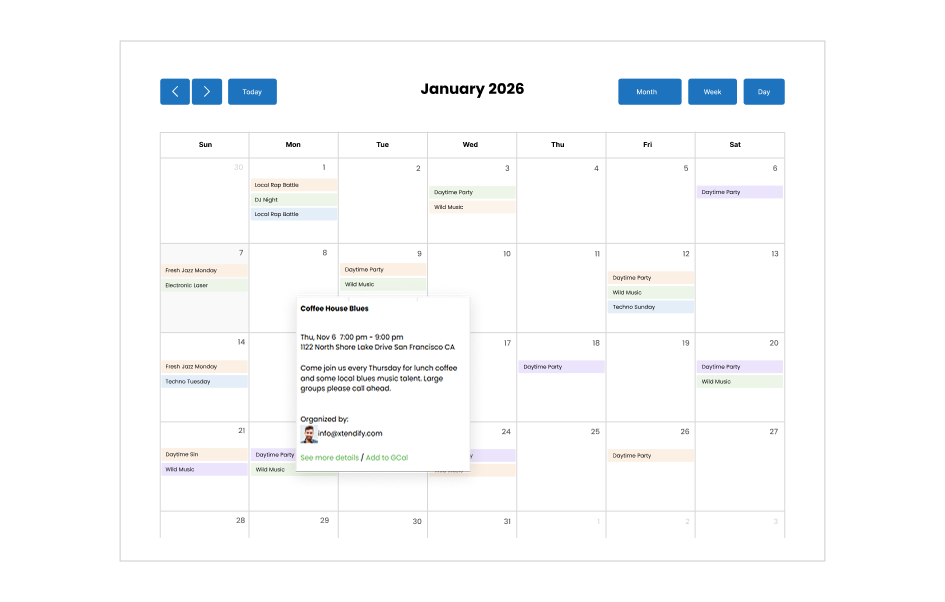
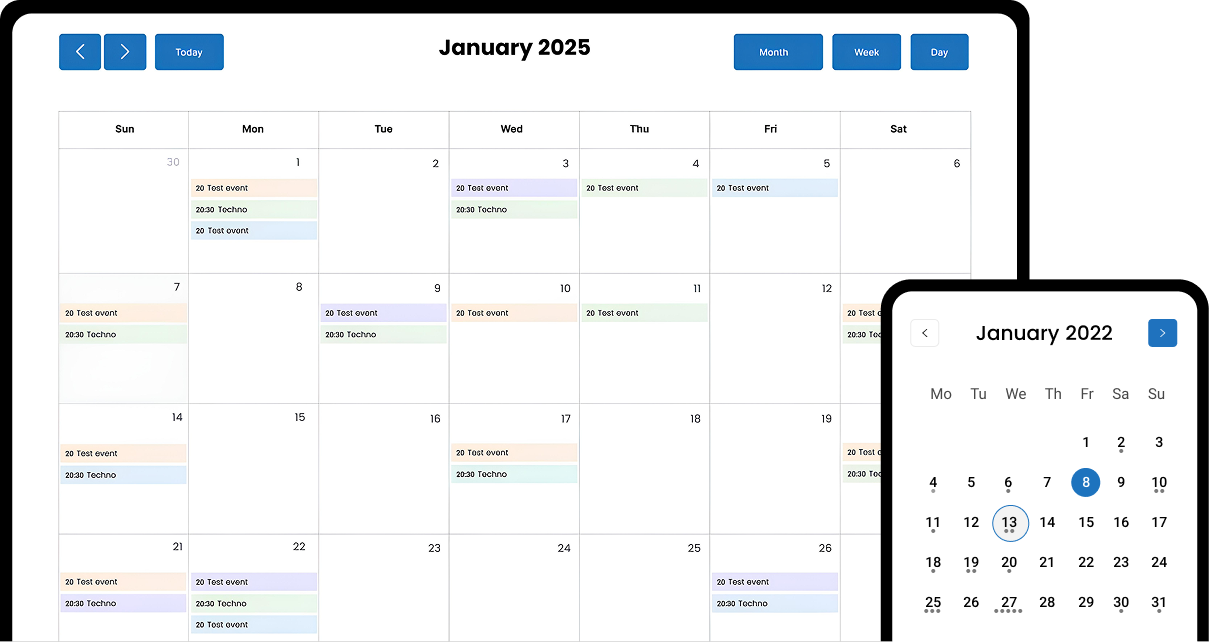
The FullCalendar Extended addon adds more ways to view your schedule: a monthly grid, a weekly timetable, or a day-by-day layout. Useful once you're displaying enough events that a single view isn't enough.
Accept bookings directly from your site
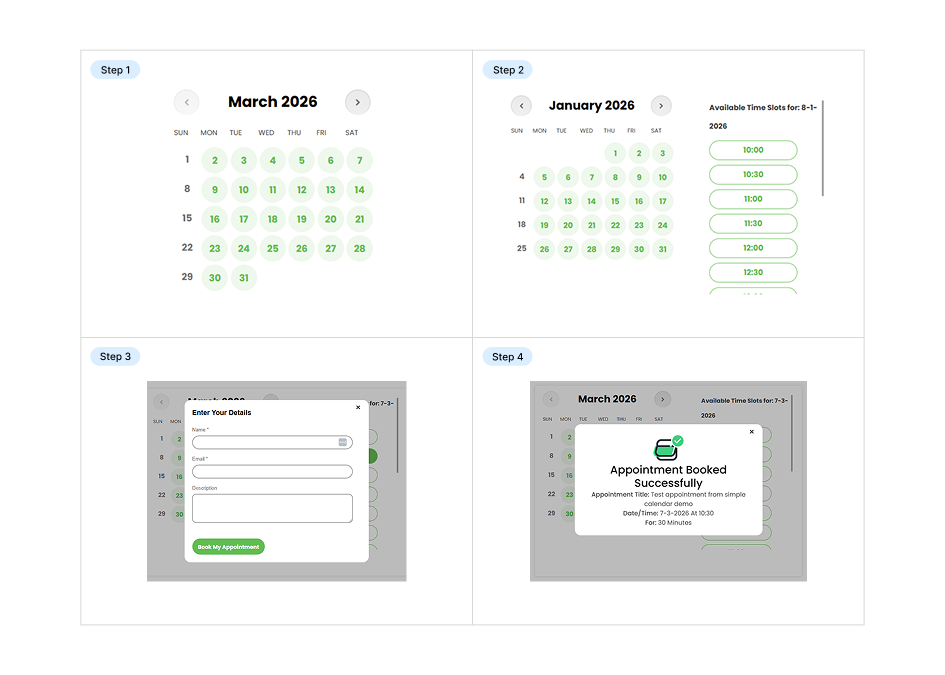
The Book an Appointment addon turns your availability into bookable slots, so people pick a time themselves instead of trading calls, emails, and messages.
Get required addons, or save 10x more with our curated bundles.
Start with the free plugin and add features only when you need them, or save more with our bundled plans that combine Google Calendar sync, live ICS feed URL, advanced calendar views, and appointment booking in one package.
Built for every tutor
Simple Calendar is built for tutors, teachers, and educators of all kinds. Manage your schedule in your calendar, publish your availability, and automatically sync sessions to your website with ease.

Academic tutors
Share lesson schedules, availability, and upcoming sessions in one place, making it easier for students and parents to stay informed.

Language tutors
Display class times and language practice sessions automatically, helping learners find and join lessons without confusion.

Music teachers
Show lesson schedules, recitals, and practice sessions on your website with a calendar that stays up to date.

Test prep tutors
Keep students informed about classes, mock exams, and revision sessions with a live schedule synced from your calendar.

STEM tutors
Publish tutoring schedules for math, science, coding, and engineering lessons while keeping availability updated automatically.

Arts & Creative tutors
Share workshop dates, creative sessions, and class schedules in a visually organized calendar that students can access anytime.

Professional skills tutors
Display coaching sessions, training workshops, and availability so learners can easily plan their professional development.

Online tutors
Let students view your availability online, whether lessons happen virtually, at home, or in person.

Group class instructors
Show recurring class schedules and upcoming group sessions, helping students stay informed and attend on time.

Studio-based teachers
Keep students updated on studio lessons, workshops, and events with a calendar embedded directly on your website.

Hybrid tutors
Manage both online and in-person lesson schedules from one calendar that automatically reflects your latest availability.

Early learning
Share preschool schedules, activity plans, and class availability in one organized calendar, helping parents and caregivers stay coordinated.
Related posts
Simple plugin. Pro features. Easy from day one.

Keep students, faculty, and parents informed about important dates and campus activities with the best Google Calendar WordPress plugin.

Learn how to add customized Google Calendars to your WordPress in 5 minutes. Easy and flexible setup.

How to Easily Integrate Google Calendar in WordPress Website Maintaining crucial tasks and event calendars plays a huge role, irrespective of the field in which you work. People no longer write down every big and small event that is likely to appear on a paper-based calendar because online calendars are now the more convenient option. […]
Your questions, answered!
Yes, Simple Calendar is built with every audience in mind and is fully responsive on phones, tablets, and desktop devices.
A WordPress calendar plugin helps display, create, or manage calendar events, schedules, or appointments directly on the website. This plugin is a great help for private tutors who want to show their schedules directly on the website. And, if the plugin allows, they can also let students book available sessions directly from the site’s frontend.
It’s important to set time zones correctly in the first place to avoid event display issues later on. Whatever time zone you set in the Simple Calendar plugin settings, the same time zone should be in the WordPress global and Google Calendar settings.
When you add a new calendar with Simple Calendar, go to Advanced and click the Timezone dropdown menu. It offers three options to set the time zone in the plugin settings: Site Default, Event Source Default, and Custom.
Site Default is the safest option as it uses the timezone set in your WordPress settings. The Event Source Default uses the timezone from your Google Calendar events, and the Custom option allows you to choose a specific city or timezone to override all other settings. Know more about setting the time zones in Simple Calendar.
Yes, the plugin automatically updates Google Calendar events on your WordPress site in real-time. So, you only need to add events to your Google Calendar once, and the plugin will handle the rest by syncing those events to your site immediately.
Yes. Students can easily set reminders for upcoming sessions by adding the event to their Google Calendar. They simply click the ‘Add to GCal‘ link, which allows them to save the event and enable reminder notifications. Learn more about adding Simple Calendar event template tags.
Yes, you can easily display the schedules of multiple teachers and subjects on your WordPress site using the Grouped Calendars feature in Simple Calendar.
Yes. The free plugin displays events from a public Google Calendar (with a manually created API key) or from an uploaded ICS file. Google Calendar Pro adds one-click authentication, private calendar support, and live ICS feed URLs that stay in sync automatically.
With the Book an Appointment addon of the Simple Calendar plugin, online tutors can easily display their availability schedules online. It allows students to book from available slots only while preventing double bookings. Thus, you can achieve an easier setup for 1-on-1 lesson scheduling with Simple Calendar, and its relevant addons.
Yes. Instead of blocking time manually in Google Calendar, you can set your available working hours using the Book an Appointment add-on. Any unselected days or time slots are automatically hidden from students on the frontend booking calendar.
No, there’s no limit or restriction on the number of visible events shown on a specific day. Yet you can set a limit on the number of visible events under the Appearance tab when adding a new calendar with Simple Calendar.
Yes, Simple Calendar supports adding a calendar on any specific page via shortcodes. You only need to add the shortcode to the WordPress content editor of the page or post where you want the calendar to appear. You can find the calendar shortcode in the right panel while adding a new calendar. You will also find it under the shortcode column of All Calendars.
No, students can only see the available time slots on the frontend. Once a slot is booked, it’s automatically removed from availability, ensuring a distraction-free booking experience while also preventing double bookings.
You can use our freely available interactive live demo on the official site. Simply explore the demo and click on the features you’d like to test. It’s easy to use, but if you encounter any difficulties or feel that a feature is missing, please don’t hesitate to contact us.