
TL;DR
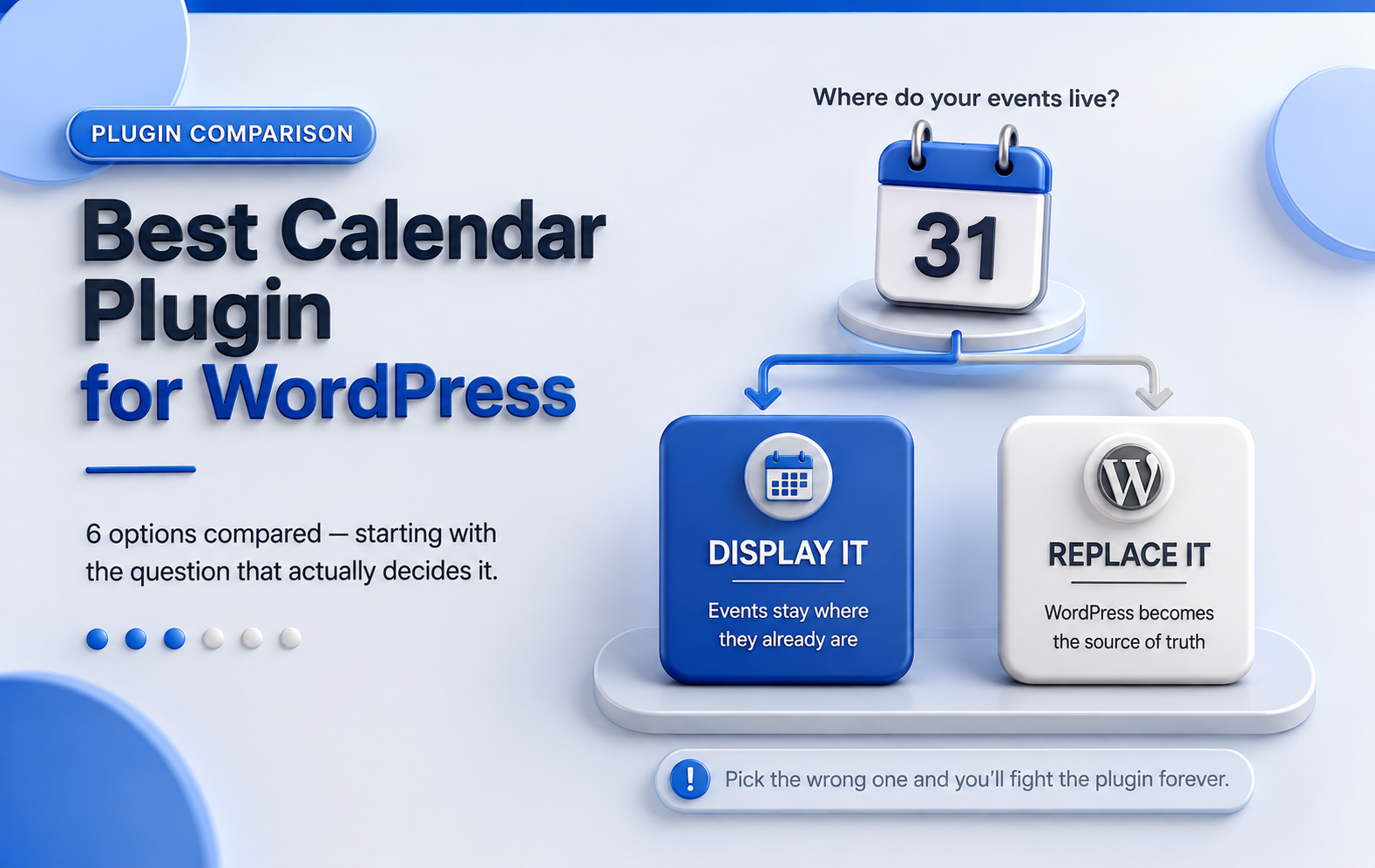
- Two different jobs get confused constantly. Some plugins display a calendar you already maintain elsewhere. Others replace it and make WordPress your source of truth. If you pick the wrong category, you’ll fight the plugin forever.
- If your events already live in Google Calendar, you want a live display, not an import. Simple Calendar connects to Google Calendar directly and reads live ICS feeds from Apple Calendar, Outlook, and Microsoft 365. The Events Calendar, Sugar Calendar, and My Calendar copy events into WordPress instead.
- Pricing has shifted hard. The Events Calendar now starts at $259/year. Most roundups still say $99.
- Fastest shortcut: Google Calendar is your calendar → Simple Calendar. You need tickets and attendee data → The Events Calendar. You need appointment slots → a booking plugin.
Best WordPress Event Calendar plugins, compared
Search ‘best calendar plugin for WordPress‘ and you’ll get ten posts recommending the same three plugins. Not because those three are wrong; they’re genuinely good- but because most roundups are written by ranking plugins against each other in the abstract, feature column by feature column.
Whether you’re searching for the best WordPress Google Calendar plugin, a general WordPress Google Calendar events plugin, or just the best calendar plugin for WordPress full stop, you’ll hit the same three names.
That skips the question that actually decides this: where do your events live right now?
If you already run everything through a working Google Calendar, a plugin that asks you to create events inside WordPress is making your life harder, not easier. You end up maintaining two calendars, updating one, forgetting the other, and eventually wondering why they don’t match.
Flip it around, and the same trap catches you from the other side. If you’re selling tickets and need to know who’s coming, a display plugin won’t get you there, no matter how good it looks on the page. Display plugins show what’s on your calendar. They don’t run the event, so you won’t see event-related features like tickets, attendee lists, and payments.
So this comparison is organised by that question first, features second.
Best plugins for event calendar WordPress, compared at a glance
| Plugin | How it handles Google Calendar | Best for |
| Simple Calendar | Live fetch, API key, OAuth2, live ICS feed URL import | Displaying a calendar you maintain elsewhere |
| The Events Calendar | Scheduled import into WP posts | Ticketing and full event operations |
| Sugar Calendar | One-time ICS import into WP | Lightweight WordPress-native events |
| My Calendar | Import via Pro | Accessibility-first calendars |
| Modern Events Calendar | Scheduled two-way cron sync via addon | Maximum layout variety |
| Amelia | Two-way sync on higher tiers | Appointment & staff booking |
Simple Calendar — best WordPress Google Calendar plugin
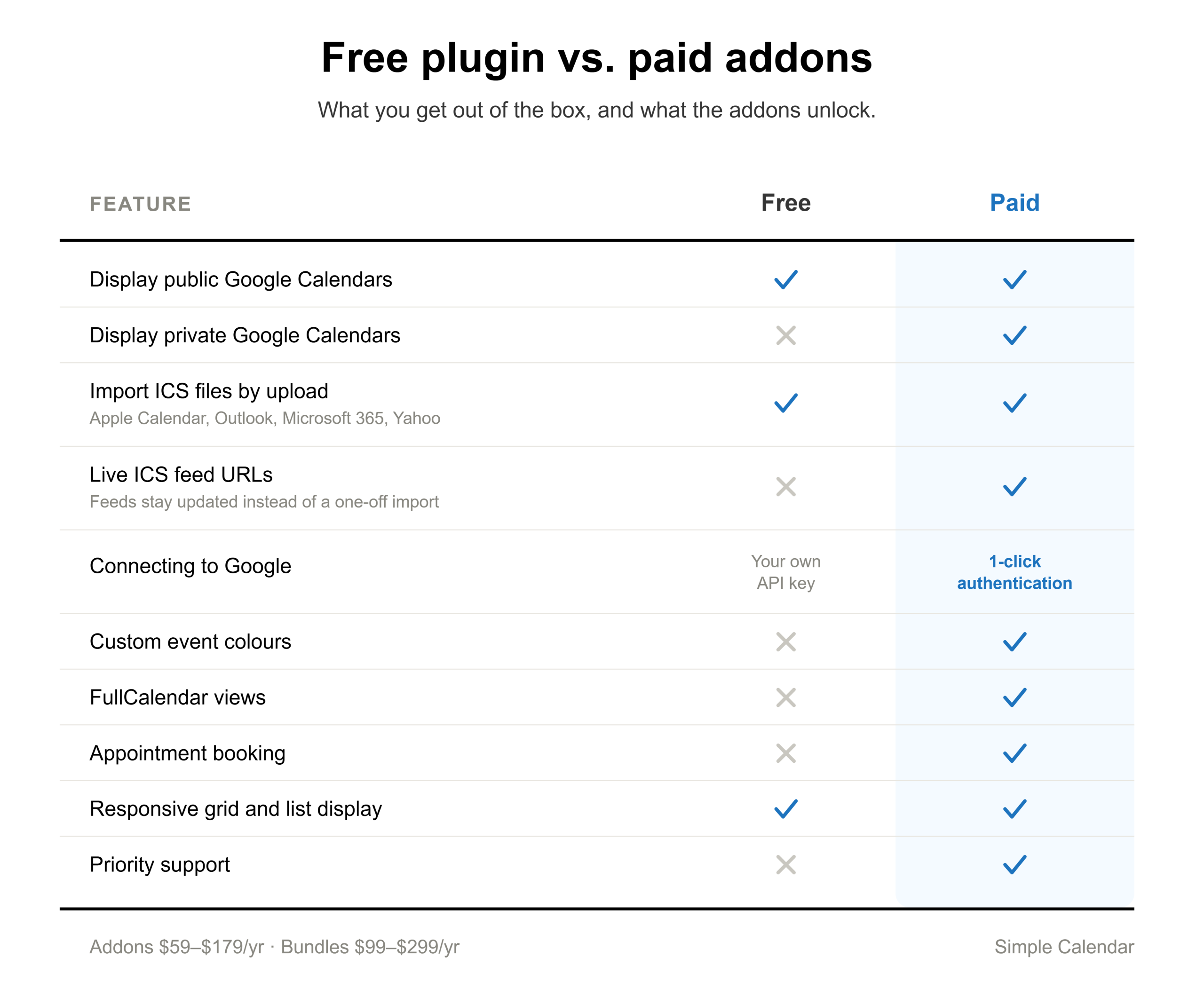
Free · Addons $59–$179/yr · Bundles $99–$299/yr
Simple Calendar, a WordPress Google Calendar plugin, takes a calendar you already maintain somewhere and displays it on your site. Thus, it helps you manage and display events without requiring you to maintain a second calendar.
Nothing gets copied into WordPress, nothing gets duplicated, and there’s no second calendar drifting out of sync with the first.
How it works: You can connect a calendar, then drop it into any page with a shortcode or block. Events render as a responsive grid or list. Multiple calendars combine into one display, either explicitly or by category, and event content is controlled with template tags rather than code. Timezone, date format, and start-of-week are all adjustable.
Simple Calendar isn’t Google-only anymore
Alongside the Google Calendar API connection, Simple Calendar now reads standard iCalendar feeds. Set a calendar’s event source to ICS Feed, and you can pull events from Apple Calendar, Microsoft Outlook, Microsoft 365, Yahoo Calendar, or anything else that supports the iCalendar standard.
Viewers can save an event into their own calendar
Simple Calendar can display download, subscribe, and print buttons on any calendar. A visitor saves an event into their own Google, Apple, or Outlook calendar, or subscribes to the feed and keeps receiving your updates.
It’s a small thing that most display plugins skip, and it’s the difference between someone seeing your event and someone having it in their pocket.
Free vs. paid Simple Calendar
The free plugin displays public Google Calendars and now imports ICS files by upload. For the Google connection, you’ll need to create your own API key with a Google Cloud Console detour that’s genuinely fiddly the first time.
Google Calendar Pro is what removes the friction. It brings the 1-click ‘Authenticate via Simple Calendar’ OAuth flow, unlocks private Google Calendars, and now also enables live ICS feed URLs and event colours.
This distinction matters when comparing plugins, as an importer copies events into WordPress posts, for which you need to maintain a second calendar. On the flipside, a feed connection doesn’t require you to maintain a second calendar.
The Events Calendar — best for deep events management & ticketing
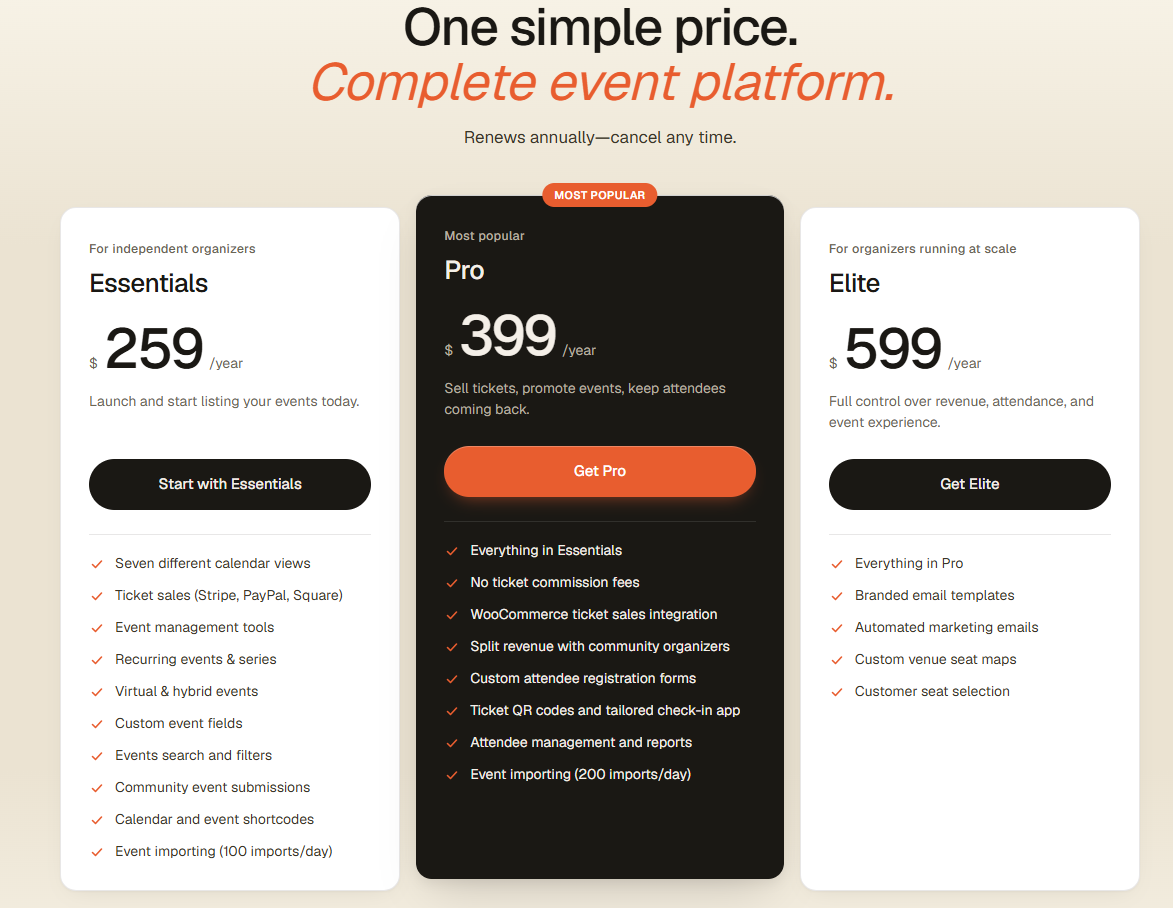
Free core · Essentials $259/yr · Pro $399/yr · Elite $599/yr
The Events Calendar is now owned by Liquid Web. This is an ideal plugin solution if you’re selling tickets, managing attendees, and running events as a business function. Essentials covers seven calendar views, recurring events and series, virtual and hybrid events, custom fields, community submissions, and event importing at 100 imports per day. Pro adds zero-commission ticketing, WooCommerce integration, custom registration forms, QR check-in and attendee reporting. Elite adds automated marketing emails and seat maps.
The pricing reality: The old $99 tier is gone. Budget $259 as the floor. Ticketing, imports, and marketing features are now bundled by tier rather than sold as separate add-ons.
Choose it if: you’re selling tickets, or WordPress is genuinely where events get created.
Sugar Calendar — best lightweight WordPress-native option
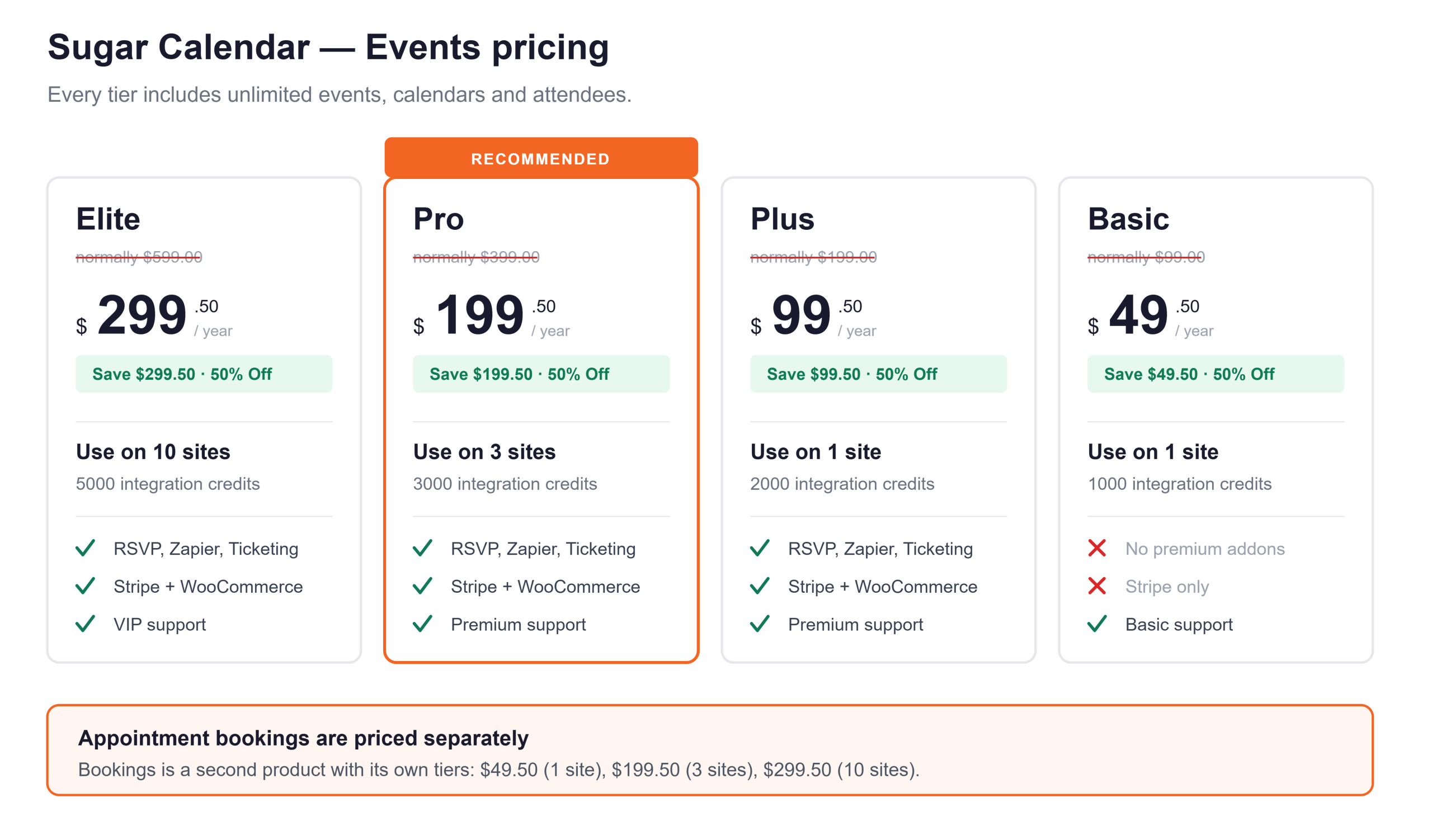
Lite free · From $49.50/yr introductory
Sugar Calendar is built by the WPForms team. You get month, week, day, grid, and list views; light or dark themes with custom accent colours; WordPress blocks and Elementor widgets; and an ICS importer for Google, iCalendar, and Outlook. It connects to WPForms, Formidable, and Gravity Forms for registrations, plus Zapier for 8,000+ apps. Tiers run Basic $49.50, Plus $99.50, Pro $199.50, and Elite $299.50 per year.
Choose it if: you want a tidy WordPress-native calendar without the weight of a full event platform.
My Calendar — best for accessibility
Free · Pro ~$49/yr
Joe Dolson, an accessibility specialist, builds it. The plugin is designed around a positive experience for visitors and admins using assistive technology, with built-in fields for describing the ADA compliance features of your events and venues. The free version covers recurring events, multiple views, categories, venues, and custom templating, and Pro adds external calendar imports and frontend event submissions.
Choose it if: you’re building for a public institution, a nonprofit, or anywhere accessibility is a stated requirement rather than a nice-to-have. Nothing else here treats it as the primary design constraint.
Modern Events Calendar — best for layout variety
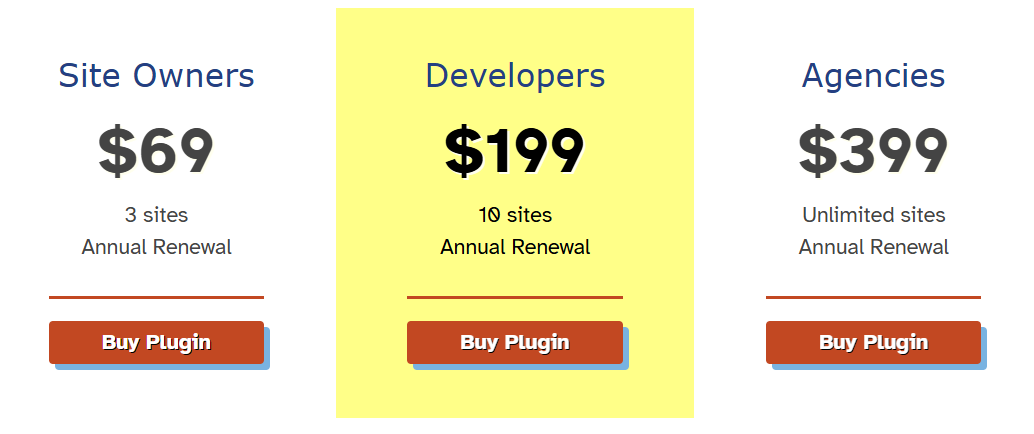
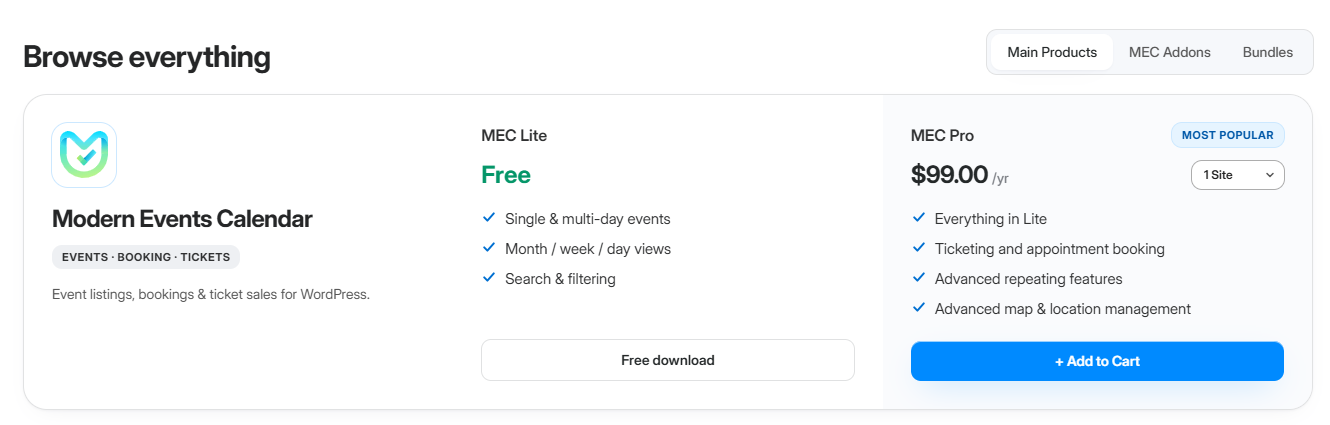
Lite free · Pro paid · Google sync addon $39/yr
MEC’s pitch is options. Dozens of skins and view layouts, so you can land on something that fits the design of your site. However, you can’t ignore bloat with such an extensive set of options.
Is it really a two-way Google Calendar sync?
MEC’s feature pages describe two-way sync between MEC and Google Calendar, with automated updates and deletions at a frequency you choose. The documented mechanism is more involved than that phrasing suggests, and the difference will cost you an afternoon if you’re not expecting it.
‘Two-way‘ is those two pipes running in parallel on scheduled cron jobs, not one continuous sync engine. MEC’s own support guidance is to configure both crons separately, run a manual import once, then let them run, and it’s a recurring confusion point in their forums.
Where it gets awkward: the addon catalogue is large, and pricing depends on which pieces you need. Cost it out properly before committing.
Choose it if: layout variety is your priority and WordPress is genuinely where events get created. If Google Calendar is your working calendar and you just need it on your site, you’re buying a sync problem you don’t have.
Amelia — best for appointment booking
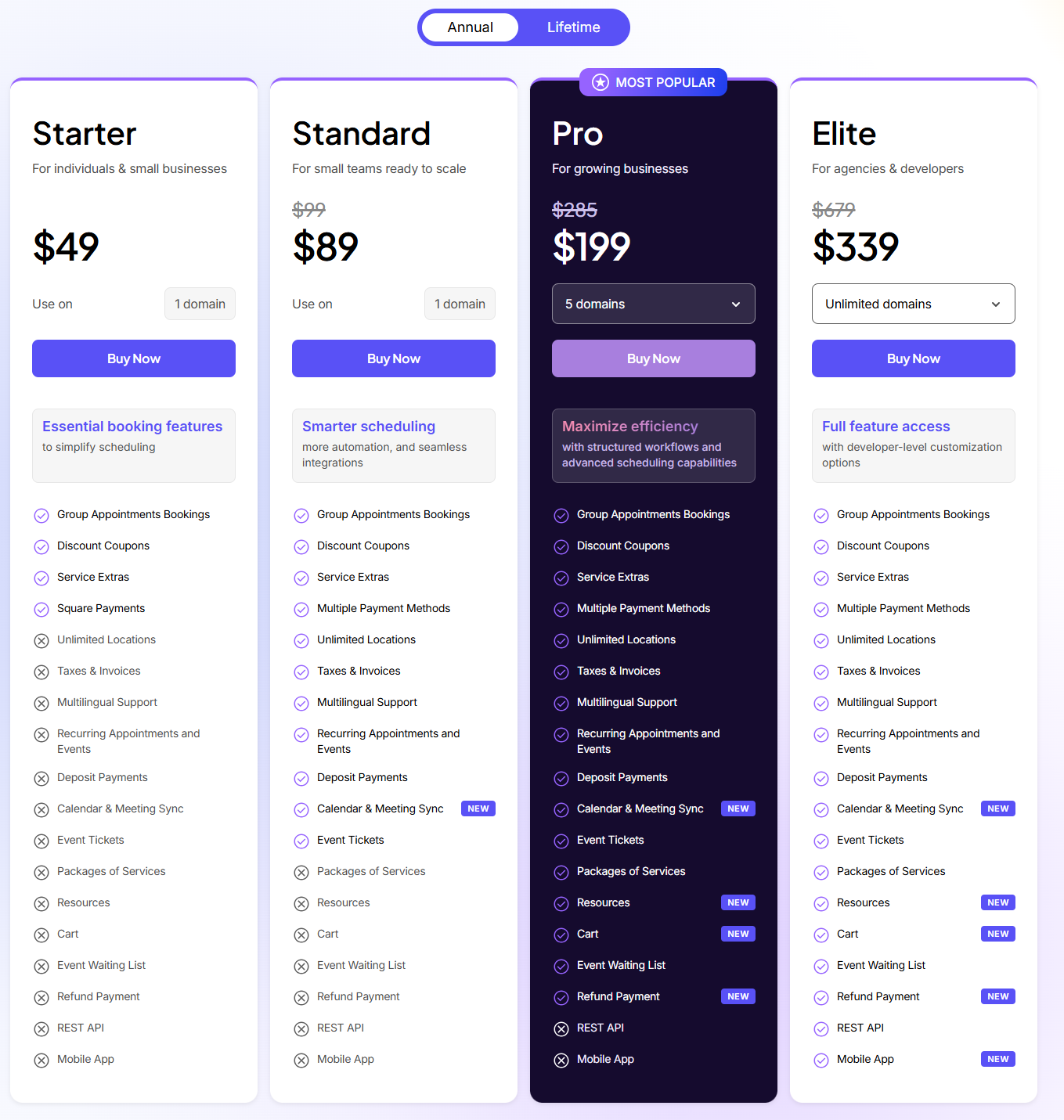
Lite free · Paid tiers from ~$49/yr
If your actual need is ‘let people book a slot with me‘ rather than ‘show what’s happening,’ you want a booking plugin, and Amelia is the most polished of them. It handles staff members with individual schedules, services, payments, Zoom integration, and reminders.
PLEASE NOTE: Sources disagree on which plan includes two-way Google Calendar sync. Some place it at Standard, others at Pro, and the plugin has changed ownership from TMS to Suspended Networks, which raises reasonable questions about long-term development. Check the current pricing page rather than trusting any roundup, including this one.
Worth knowing: if you already display a Google Calendar with Simple Calendar, the Book an Appointment addon is a more affordable and easier option than maintaining a full booking platform. However, if you need staff scheduling, payments, and service catalogues, Amelia is the more complete product.
Frequently asked questions
Is the free Simple Calendar plugin good enough?
For a public calendar, usually yes. The free plugin displays events from any public Google Calendar in responsive grid and list views, combines multiple calendars into one display by ID or category, and lets you control what shows using template tags without coding. You can also upload an .ics file to bring events in from another calendar app.
Paid addons give you some advantages in terms of private calendar access, advanced customization with more event template tags, live ICS feed subscriptions, extra views, priority support access, and skipping the Google Cloud setup.
Does Simple Calendar only work with Google Calendar?
Not anymore. Set a calendar’s event source to ICS Feed, and it reads standard iCalendar data from Apple Calendar, Microsoft Outlook, Microsoft 365, Yahoo Calendar, or anything else supporting the iCalendar format. However, Google is still the deepest integration, but it’s not the only one now.
What’s the catch with the free version of Simple Calendar?
Simple Calendar core plugin requires you to create your own Google API key in the Google Cloud Console. It’s a bit of a technical headache, especially for a tech noob. And, to overcome this hurdle, we have introduced a 1-click ‘Authenticate via Simple Calendar’ OAuth option in our Google Calendar Pro addon. This addon also covers adding your live ICS calendar feed.
Can I show a private Google Calendar without making it public?
Yes, you can do so with Google Calendar Pro. It connects private and restricted calendars over OAuth2 and keeps them out of search results and away from direct URL access.
Do I need to recreate my events in WordPress with Simple Calendar?
No, and that’s the point. You keep managing events in your calendar app and never create them in WordPress. Change a time at the source, and your site reflects it. There’s no import step producing a second copy to reconcile, which is generally the maintenance trap with plugins that convert events into WordPress posts.
What is the difference between uploading an ICS file and connecting a feed?
Uploading an ICS file is a one-time task. It doesn’t update automatically, whereas a live feed URL keeps pulling updates whenever the feed refreshes. Our free Simple Calendar plugin supports only uploads, whereas connecting a live feed URL needs Google Calendar Pro.
Can I get month, week, and day views with the Simple Calendar plugin?
Free gives you a monthly grid and list view. Month, week, and day views plus adjustable height, display language, and event colour control come with FullCalendar Extended. Paired with Google Calendar Pro, those views show events colour-coded to match Google Calendar, along with enhanced customization options.
Can I take appointment bookings with the Simple Calendar plugin?
Yes, with Book an Appointment. Visitors pick a slot, and the booking is written into your Google Calendar. Events already on your calendar block out the corresponding slots, so you don’t get double-booked from either direction. It runs on your own site rather than a Google page, and you can create as many separate booking calendars as you need.
Will it match my theme, or look like an embed?
It renders as native markup, so it picks up your theme’s styling out of the box, and you can override the CSS from there. That’s the practical difference from Google’s embed code, which stays an iframe no matter what you do to it, and displays inconsistently on mobile.
What can’t Simple Calendar do?
If you’re selling tickets, processing payments, and managing attendee information, you’ll need a dedicated event management platform. That’s a different kind of product altogether. Simple Calendar is built to display the Google Calendar you already use, so you can publish your events on your website without maintaining a separate event management system.
Is there a dedicated Google Calendar events plugin for WordPress?
Yes, Simple Calendar is built specifically as a Google Calendar events plugin for WordPress rather than a general events platform that happens to support Google as one import source. That’s the core distinction in this guide: display plugins built around Google Calendar versus event-management plugins that treat it as one input among several.
Summarize with:
Related posts
Simple plugin. Pro features. Easy from day one.
We read the top 10 Google results for ‘best WordPress calendar plugin’ in September 2026. 8 of 10 recommended an event-management plugin to readers who only needed a display. But you already know it’s not enough for the specific choice you need to make. And that advice generally falls apart when you realize that each […]
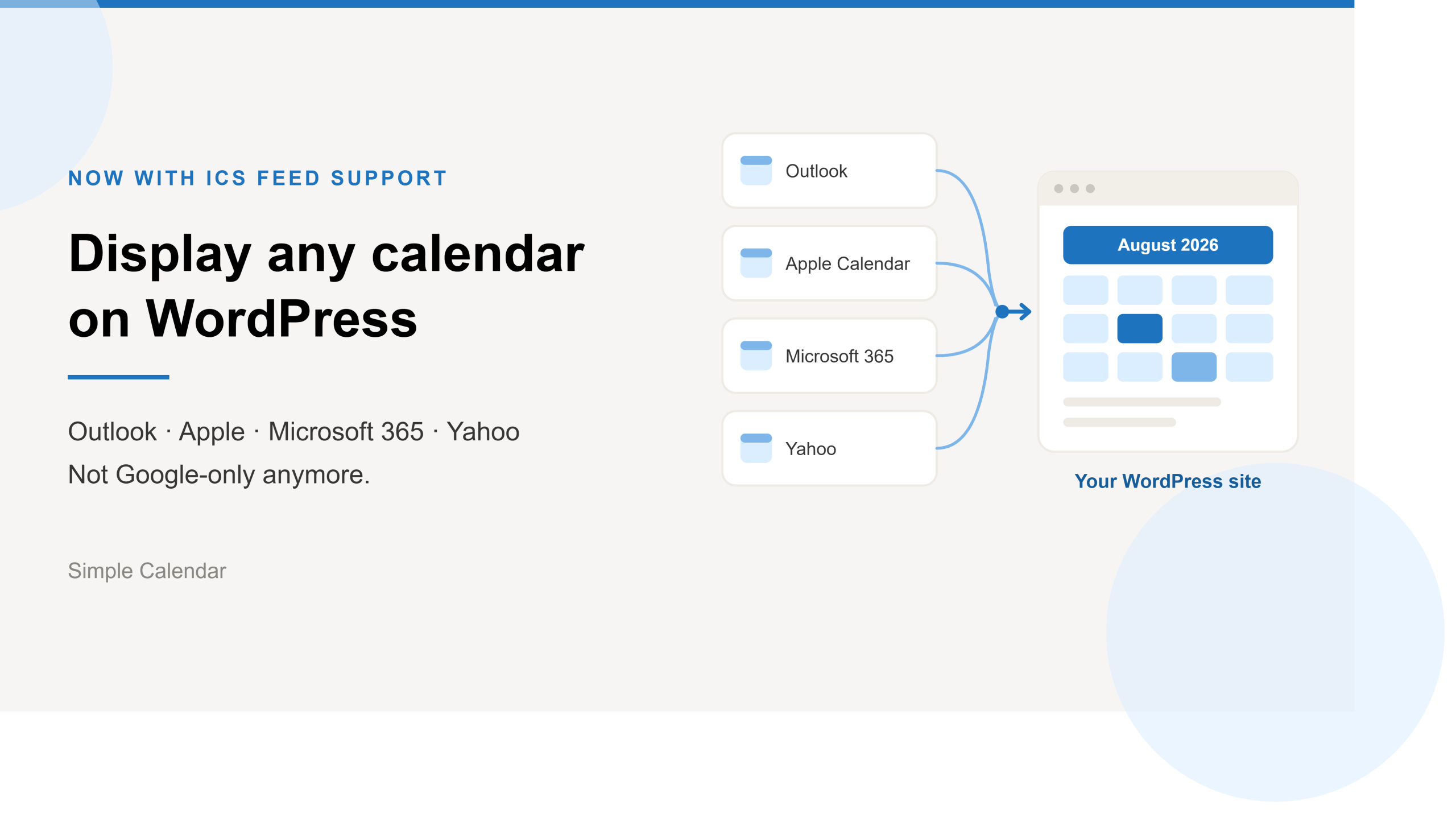
Simple Calendar now imports ICS feeds and connects live ICS feed URL. Learn step-by-step workflows for displaying Outlook, Microsoft 365, Apple, and Yahoo calendars.
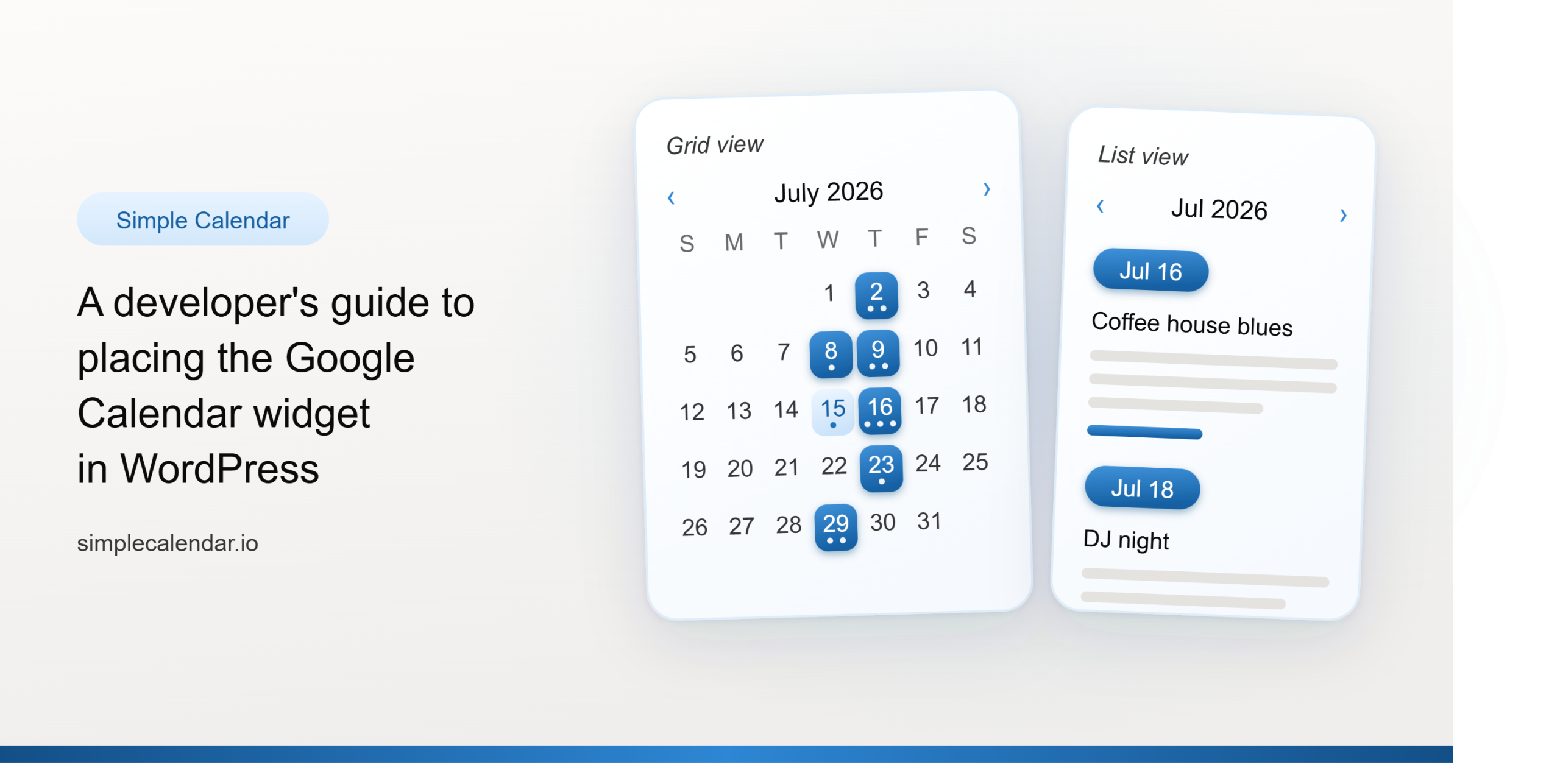
After 13 years of building a WordPress calendar plugin, we know a Google Calendar embed looks like the easy answer. But it rarely stays that way. It’s only after you embed the Google Calendar manually and open the page on your mobile that you realize the calendar decided to live by its own rules. A […]